Donor Database Buyer’s Guide: Tips for Nonprofit Success


A development director at a local nonprofit sits at their desk staring at their donor records and can't tell which of last year's donors haven't given again. Sound familiar? When gifts sit in a payment tool, contacts in a spreadsheet and notes in someone's inbox, lapsed donors go unnoticed until the revenue is gone. However, a donor database keeps every gift, message and note in one record, so you can spot who is slipping and reach out in time.
In this guide, we’ll explore everything you need to know about donor databases so you can choose the right solution for your nonprofit.
Carefully read through each step before making this significant investment decision for your nonprofit. Let’s get started with some of our top picks:
Quick picks from the comparison below:
- Donor retention and relationships: Bloomerang CRM
- Appeals, crowdfunding and monthly giving in one place: DonorPerfect
- Prioritizing return on investment: Blackbaud Raiser's Edge NXT
- Free to start: Funraise or Givebutter

67% of nonprofits rely on CRMs to track donations and foster meaningful connections with their supporters. But your nonprofit might already use a variety of other tools to manage donor relationships. You may wonder, “What’s the advantage of investing in another software solution on top of our existing solutions?”
What is a donor database and why it matters
A donor database is software that nonprofit professionals use to gain insights into their supporters’ engagement histories, track key fundraising metrics, and measure success.
Along with storing donors’ contact and demographic information, this technology helps build relationships with supporters by saving previous engagement data, such as past donations or attended events. This functionality allows nonprofits to build on past interactions and organically grow relationships.
Donor data turns every interaction with your supporters into the foundation for a stronger relationship. When giving history, communication preferences, and engagement patterns all live in one place, you can spot who's ready for a bigger ask, who's at risk of lapsing, and who's simply waiting for the right invitation. That insight helps you reach every supporter with the right message at the right moment, so more of your outreach turns into lasting generosity—not just one-time gifts.
Effective donor data management starts with clean, centralized records—one home for every supporter instead of scattered spreadsheets. From there, build simple, standardized processes for entering new information, run regular checks for duplicates and outdated records, and use automation to keep profiles current as supporters engage. Bloomerang CRM handles much of this for you, automatically updating engagement scores and flagging address changes, so your team spends less time managing data and more time acting on what it reveals.
Best donor databases: At-a-glance comparison table
Top donor database solutions to consider
Each platform below is rated on who it suits best, what stands out, what it costs and what to watch for. Bloomerang is listed first for teams that put donor retention first. The other nine follow in no particular order.
1. Bloomerang CRM
Best for: Nonprofits that want one platform for donor retention, fundraising and volunteer management.
Standout features: An engagement score shows who is at risk of lapsing, a generosity score uses public wealth data to flag likely major donors, and volunteers and members live in the same record. A communications audit tool and Penny, an integrated AI fundraising partner, are built in.
Pricing: Bloomerang starts at $125 monthly and scales incrementally based on needs.
Watch for: Bloomerang's interface is built to be easy to use from the start. As a trade-off, it is not as highly customizable as other systems.

2. Salesforce

Best for: Large organizations that need a highly customizable system.
Standout features: Generative and predictive AI and a large support community. The ecosystem can be configured around almost any workflow, which suits teams with in-house technical staff.
Salesforce is a popular CRM option for nonprofit and for-profit organizations alike. You can build out this extremely customizable solution with various apps and integrations to provide the additional functionality your organization needs in a complete Salesforce ecosystem.
Pricing: From $60 per user per month. The free Nonprofit Success Pack is available only to organizations that already have a Salesforce account.
Watch for: Heavy customization usually means more setup time and less time stewarding donors.
3. CharityEngine

Best for: Nonprofits that want one all-in-one platform instead of paying for several separate tools.
Standout features: A website builder and advocacy software are built into the same system as donor management, so fundraising, outreach and your public site draw on one set of records.
In addition to a donor database, CharityEngine offers online donation pages, peer-to-peer fundraising, email marketing, a website builder, advocacy software, and more.
Pricing: Request a quote.
Watch for: Pricing is by quote, so budget comparison starts with a sales call.
4. Neon CRM

Best for: Nonprofits that manage donors, members and campaigns together and want to track fundraising KPIs.
Standout features: Specialized tech consultants help nonprofits set up the platform, which suits teams without dedicated IT staff.
Neon CRM is a cloud-based donor database that is part of the Neon suite of tools. The solution’s fundraising tools make it simple to track relevant fundraising KPIs and make strategic adjustments as needed.
Pricing: Neon’s pricing starts at $99 per month.
Watch for: Some users claim that navigating reports and events can be challenging and hard to follow.
5. Little Green Light

Best for: Teams that manage donors, volunteers and members from a single platform.
Standout features: Goal tracking built for activities such as major gift asks and grant proposals.
Little Green Light offers donor database tools that include constituent profiles, goal-tracking for activities like major gift asks and grant proposals, and customizable reports.
Pricing: Available on request, with a 30-day free trial.
Watch for: Pricing is by request, so budget comparison starts with a conversation.
6. Blackbaud Raiser’s Edge NXT

Best for: Organizations that prioritize return on investment.
Standout features: AI-powered suggested donation amounts and end-to-end gift management.
Blackbaud Raiser’s Edge NXT is a donor management platform that offers prospective donor insights to unveil hidden fundraising potential within your donor group.
Pricing: Request a quote on the Blackbaud website.
Watch for: Users complain NXT doesn't have all the features that the former database view does.
7. DonorPerfect

Best for: Teams that run several campaign types together, such as annual appeals, crowdfunding and monthly giving.
Standout features: A highly customizable interface that shows only the data most relevant to your strategy.
DonorPerfect’s donor database helps nonprofit professionals save time, raise more, and connect with their supporters on a deeper level.
Pricing: Request pricing on the DonorPerfect website.
Watch for: User reviews state that the event tools can be cumbersome and limited.
8. Givebutter
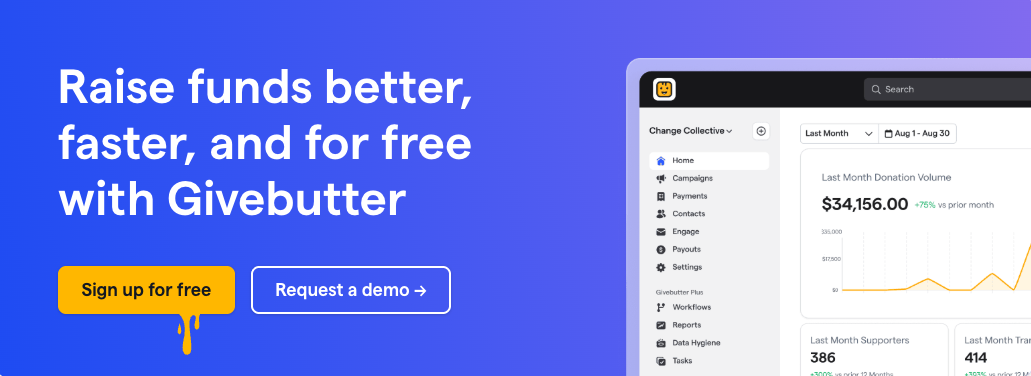
Best for: Nonprofits that want to test a system for long-term needs.
Standout features: A free platform that combines contact management, fundraising and event ticketing.
With Givebutter, nonprofits can leverage donor database features like contact profiles complete with an engagement timeline and notes. Additionally, it provides data hygiene tools to validate data and prevent duplication.
Pricing: Givebutter has no platform fee but a 2.9% + 30¢ processing fee.
Watch for: Processing fees replace a platform fee, so costs scale with giving volume.
9. Funraise

Best for: Teams that want to manage contacts efficiently with a free CRM.
Standout features: Funraise provides free donor CRM software for nonprofits with custom segmentation, a donor portal app where donors see their own giving, household management tools that link related supporters, and a Salesforce integration that imports data automatically.
Pricing: Funraise offers a free plan, as well as standard and premium options for organizations seeking more features.
Watch for: Reviews suggest that organizations who rely heavily on in-person fundraising may need extra workflows.
10. Virtuous

Best for: Nonprofits that want to grow giving across CRM, fundraising and marketing.
Standout features: Virtuous offers real-time suggestions based on wealth and demographic data, personalized donor cultivation plans with automated calls and email outreach, and project and gift reporting.
Pricing: Contact Virtuous for pricing.
Watch for: Reviewers state that it is too costly for small enterprises and requires multiple trainings to use.
What are the benefits of using a donor database?
67% of nonprofits rely on CRMs to track donations and foster meaningful connections with their supporters. But your nonprofit might already use a variety of other tools to manage donor relationships. You may wonder, “What’s the advantage of investing in another software solution on top of our existing solutions?” A donor database offers the following benefits:

- Data centralization. In 2024, nonprofit professionals listed “lack of process automation and organization efficiency” as their #1 challenge. Donor databases help mitigate this issue by keeping all the information nonprofits need in one place and automating manual, time-consuming tasks. Think about the multitude of interactions you have with your donors. From emails to events to personal phone calls, your donors can engage with your organization in multiple ways to familiarize themselves with your mission. Donor database software provides a central location where nonprofit staff members can find information regarding these interactions, from event attendance to phone conversation topics.
- The ability to personalize donor outreach. Using the information stored in your donor database, you can customize donor outreach materials with donors’ names, past interactions, and interests. For example, suppose you know that a supporter has previously attended many of your nonprofit’s events. In that case, you might send a personalized invitation to your next event. They’ll feel seen and acknowledged because you understand how much that particular supporter enjoys events.
- Reporting capabilities. Your donor database stores and generates reports on essential donor trends and patterns. This allows your nonprofit’s staff to examine which strategies are most effective and which aspects of your fundraising or marketing efforts need improvement. You can use this information to boost your fundraising and marketing return on investment (ROI) by focusing your efforts on the most engaged supporters and reaching out to them with targeted messages.
A donor database takes your nonprofit’s fundraising to the next level, ensuring you can sustainably manage and grow supporter relationships over time.
How to find the right donor database
There are many nonprofit donor databases out there, all claiming to be the best. How can you decide which is best for your organization? Research.
You’ll need to conduct a lot of research about your organization’s needs and the various systems available to decide which one is the right choice. Here are the research steps we suggest:

- Divide potential features you’d like to see in your new donor database into “needs” and “wants” lists. Your needs should be the must-haves in a donor database. As you conduct research, if a potential solution doesn’t have some of the “needs” on your list, you can immediately eliminate it from the prospective solutions.
- Start compiling a list of top options. You don’t need to be too specific about the solutions you list. It’s simply a starting point for your research. Search the web and check referral pages to get a sense of the tools on the market.
- Eliminate any donor database that doesn’t have everything on your “needs” list of features. Parse through your major list of databases to develop a shorter list of potential solutions that include all of the features you need. Now, you’ll have many solutions that could work for your organization.
- Compare these solutions with your nonprofit’s budget. Remove any solutions that are drastically over your budget. A solution you can’t afford (or won’t be able to afford in the future) will only decrease your overall ROI. We’ll dive into the budgeting process more deeply in the next section.
- Compare software features for the remaining solutions with your organization’s “wants” list. Identify the solutions that meet your “needs” and most of your “wants.” After eliminating those without many of your “wants,” you’ll have a concise list of possible solutions.
- Schedule demos for your shortlist options. Before joining these demos, create a list of questions to ask the team of software experts. Be sure to ask these questions in every demo and reach out after the demo if more questions arise.
- Loop in key stakeholders. Include multiple relevant stakeholders in your decision-making process to ensure you choose a tool that works for your entire fundraising team. Invite team members such as your development director, annual giving manager, marketing lead, and major gifts officer to join demos, participate in free trials, and provide feedback on which solution will likely work best for your organization’s needs.
- Choose your solution! After you’ve had demos of each software (potentially more than one for your favorites), you should be ready to pick the software that is best for your nonprofit.
Choosing a donor database does take a lot of time and research. However, that time is well worth spending up front because the right solution will serve your nonprofit effectively for years to come.

What features should you look for when researching donor databases?
Now that you know the advantages of a donor database, it’s time to choose the right solution for your nonprofit. There are three primary considerations when searching for a new donor database: basic, next-level, and tailored features unique to your organization.
Basic donor database features
Any effective donor database will contain a few essential features for helping your organization stay on target. To effectively keep donor data organized, manage reports, and enable data segmentation, you should look for a donor database with the following necessary features:
- Robust supporter profiles. Use robust profiles to manage information about your supporters, including their donation histories, volunteer hours, sponsorships, grants, and more. Leverage information in these profiles to build stronger supporter relationships and encourage continued engagement.
- Segmentation. According to research from Epsilon, 80% of consumers are more likely to make a purchase when brands offer personalized experiences. Segmenting supporters based on information in each donor profile helps provide a more customized experience. For example, an animal shelter might have a segment of supporters who prefer dogs and another for those who like cats. They might use different marketing messages and imagery to appeal to each group. Bloomerang’s segmentation eBook can provide insight into innovative ways to segment your database if you’re just starting.
- Scalability. Your solution should have options to scale up or down depending on your nonprofit’s needs. This ensures you can continue using the same donor database as your nonprofit grows. You can easily request these upgrades to gain access to the additional records or functionality your nonprofit needs.
These are standard features that your organization will find in any quality donor database. If a donor database doesn’t have these features, steer clear. Chances are, you’ll grow out of the solution very quickly.
Tailored donor database features
Because every nonprofit is different, there may be some tools that you’d benefit from, while other organizations won’t see the same positive results.
To determine the unique list of features that will benefit your specific organization, follow these steps:
- Take inventory of your current software. Are you currently taking full advantage of your existing investments? What features of your current software solutions do you like the most?
- Identify the functionality that is missing from your current software strategy. What are your pain points or gaps?
- Decide what features will fill the holes in your current strategy. Write them down and ask about them during demos.
Identifying your nonprofit’s most essential features will help keep you organized and focused as you develop lists of potential solutions and narrow them down.
Donor database FAQs
What is the best donor database for small nonprofits?
The best fit depends on budget and team size. Funraise and Givebutter have free options, Neon CRM starts at $99 a month, and Bloomerang starts at $125 a month for teams focused on donor retention. Compare must-have features, then demo your top three before deciding.
Is there free donor database software?
Yes. Funraise offers a free plan, and Givebutter has no platform fee, though a 2.9% + 30¢ processing fee applies. Free tools usually cover basic donor management and storage, so you may still need spreadsheets or other tools as your organization grows.
Can I use a spreadsheet instead of a donor database?
You can, but spreadsheets take more time to maintain and are more prone to human error. A donor database lets you update large amounts of data at once and find any record with a simple search, which saves time as your donor list grows.
What donor data should we track?
Track contact details, giving history, communication preferences, employment (for matching gifts), volunteer and event history, and why or how each person gives. Birthdays and family names can help with personal outreach. Start with what your team will actually use.
What is the difference between a donor database, a nonprofit CRM and donor management software?
The terms are commonly used interchangeably. All three describe software that stores supporter records and engagement history, tracks fundraising metrics and helps you build relationships. Compare features instead of labels when you evaluate vendors.
Wrapping up
This guide is just the beginning of your nonprofit’s donor database research. Finding the right platform for your nonprofit takes time and careful collaboration with the team members who will use the solution daily. To learn more about donor database software and donor management in general, check out these additional resources:
- How to Buy Fundraising Software That Lasts: Essential Guide. The right software is an investment that will benefit your nonprofit for years to come. Be intentional about your choice with the help of this complete guide.
- Nonprofit CRM Software: Explore 19 Solutions for 2027. Explore more nonprofit CRM options to simplify donor database management.
- Effective Donor Management: 7 Best Practices for Nonprofits. This resource reviews best practices for leveraging your donor database and managing your donors.