Email Marketing for Nonprofits: The Complete Guide



Email marketing for nonprofits is a powerful tool that can do far more than raise awareness. A recent Global Trends in Giving report reveals that 33% of donors in the U.S. and Canada find email to be the communication channel that most inspires them to contribute, more than any other platform. Investing in a strategic email program can amplify your fundraising ROI, deepen supporter relationships, and rally more people to champion your mission.
In this guide, we cover everything you need to build and optimize a nonprofit email marketing strategy—including best practices, platform comparisons, benchmarks, deliverability essentials, and ready-to-use copy assets. Use the quick-answer summaries at the top of each section to get to what you need fast.

Why is email marketing worth it for nonprofits?
Email outreach is as relevant and useful for nonprofits as ever. Here’s why it deserves the top spot in your communications budget:
- High email adoption: 99% of email users check their inbox every day—and most check multiple times. Your message reaches supporters when they’re already paying attention, unlike social media where algorithm changes can suppress your reach overnight.
- Exceptional ROI: For every $1 email marketers spend, they receive an average of $36 in return—making it one of the most cost-effective channels available to resource-constrained nonprofits.
- Brand and mission awareness: Email lets you tell your organization’s story on your own terms, directly to people who have already raised their hands to hear from you.
When combined with social media, direct mail, and website engagement, email becomes the connective tissue of a holistic outreach strategy that keeps your nonprofit top of mind for supporters year-round.
What types of emails should nonprofits send?
Fundraising emails
When your nonprofit launches a fundraising campaign, email is your primary engine for generating a steady flow of donations. According to the Nonprofit Tech for Good report, 74% of nonprofits that use email marketing send fundraising appeals. These emails should clearly communicate your campaign’s purpose, goal, and the specific impact a donation will make.
Best practice: Use a series of three to five emails per campaign—an announcement, a mid-campaign update with progress data, at least one urgency send in the final 48 hours, and a closing thank-you. Each email should have a single CTA. For more detailed guidance, see our 10 steps to a successful fundraising email.
Fundraising email example: Help for Heroes boxed figure campaign
Help for Heroes is a UK-based charity that supports veterans with physical and mental health, welfare, and social needs. The email below depicts a campaign the organization launched to raise funds by sending donors a boxed figure to represent their commitment to the cause. It’s a compelling message because it clearly outlines the problem the organization is trying to solve and how supporters can play a role in the solution.

Expressing gratitude after donors give is one of the most effective ways to increase donor retention. Send thank-you emails within 24 hours of a gift—and ideally within minutes via automation. Connect the donor’s specific contribution to a tangible outcome: “Your $50 will provide clean water for a family of four for one month.”
Best practice: Segment your thank-you emails by gift size, campaign source, and whether the donor is a first-time or returning contributor. First-time donors deserve a warmer, longer message that welcomes them into your community. See the copy-and-paste assets section below for two ready-to-use templates.
Gratitude email example: charity:water thank-you message
charity:water is a nonprofit dedicated to bringing clean drinking water to developing countries. A recent email they sent included a thank-you message at the end that uses donor-focused language to spotlight the essential role supporters play.

A welcome series turns a new subscriber or first-time donor from a stranger into a committed supporter. Your welcome sequence should introduce your mission, share a compelling impact story, and give new supporters a clear path to get more involved—whether that’s volunteering, following on social media, or making a sustaining gift.
Best practice: Send four emails over 14 days. Day 0: warm welcome + mission overview. Day 3: impact story. Day 7: how to get involved. Day 14: soft donation ask. See the full welcome series template in the copy-and-paste assets section below.
New supporter welcome email example: Four Freedoms Park Conservancy
The Four Freedoms Park Conservancy is a nonprofit that maintains the Franklin D. Roosevelt Four Freedoms State Park memorial in New York City. The following email is a welcome message for new email newsletter subscribers. It helps recipients feel welcome, with opportunities to join upcoming events, connect on social media, and learn about FDR’s legacy.

An email newsletter is your nonprofit’s digital bulletin—keeping supporters updated on ongoing initiatives, upcoming events, recent wins, and the people behind your mission. According to the Nonprofit Tech for Good report, 92% of nonprofits that use email marketing send newsletters, with most sending monthly.
Best practice: Keep newsletters to 100–200 words of body copy with one primary story and one to two secondary items. Lead with impact, not logistics. Every newsletter should include at least one link back to your website to drive traffic and track engagement. Remember, email quantity is as important as quality when it comes to staying top of mind with supporters.
Nonprofit newsletter example: charity:water’s Good News
charity:water’s Good News World Channel is a community of supporters devoted to furthering charity:water’s charitable mission to bring clean water to underserved communities. The following email is a newsletter update featuring a recent success story and a few ways to engage with the organization.

Advocacy and volunteering emails
Donating isn’t the only way supporters can show up for your mission. Advocacy and volunteer recruitment emails expand engagement beyond the transaction and build the kind of personal investment that correlates strongly with long-term giving.
Advocacy and volunteering email example: Help for Heroes call for volunteers
Help for Heroes also created a useful example of a volunteer request email. The following email uses eye-catching red button calls to action (CTAs) to inspire recipients to sign up.

Seasonal emails
Timely communications tied to holidays, awareness months, or seasons create an additional touchpoint with supporters and capitalize on donors’ increased motivation to give during certain times of year. Year-end giving season (October–December) is especially high-impact for nonprofit email campaigns. For guidance on timing your sends effectively, check out our guide on when your nonprofit can and cannot send an email.
Seasonal nonprofit email example: CJ holiday campaign
This email is an example of a seasonal email sent by a business in an effort to support nonprofit causes during the holiday season. The email allows recipients to vote for the cause they think the business should support with their holiday donation.

What email marketing best practices matter most for nonprofits?
Segment your communications for a deeper connection
No one likes generic emails. A personalized message builds meaningful, long-term donor relationships—and the data backs it up: 71% of consumers expect personalized interactions, and 76% get frustrated when this doesn’t happen (McKinsey).
Start with these five core segments and build from there:
- New donors
- Active donors
- Lapsed donors
- Prospects / email subscribers who haven’t yet given
- Volunteers
For a deeper dive into effective segmentation strategies, read our guide on using segmentation to boost nonprofit email campaigns.
Adopt a consistent communication cadence
Email quantity matters as much as quality. Too many emails overwhelm supporters and drive unsubscribes—too few cause your organization to fall off their radar. Here’s a practical nonprofit cadence framework:
- Newsletters: Monthly at baseline, quarterly if team capacity is limited
- Fundraising appeals: 1–2/month standard
- Welcome series: Four emails over 14 days for all new subscribers
- Thank-you emails: Automated, triggered within minutes of a gift
- Re-engagement sequences: One email every two weeks for three sends, then suppress unresponsive contacts
Track email metrics to optimize your strategy
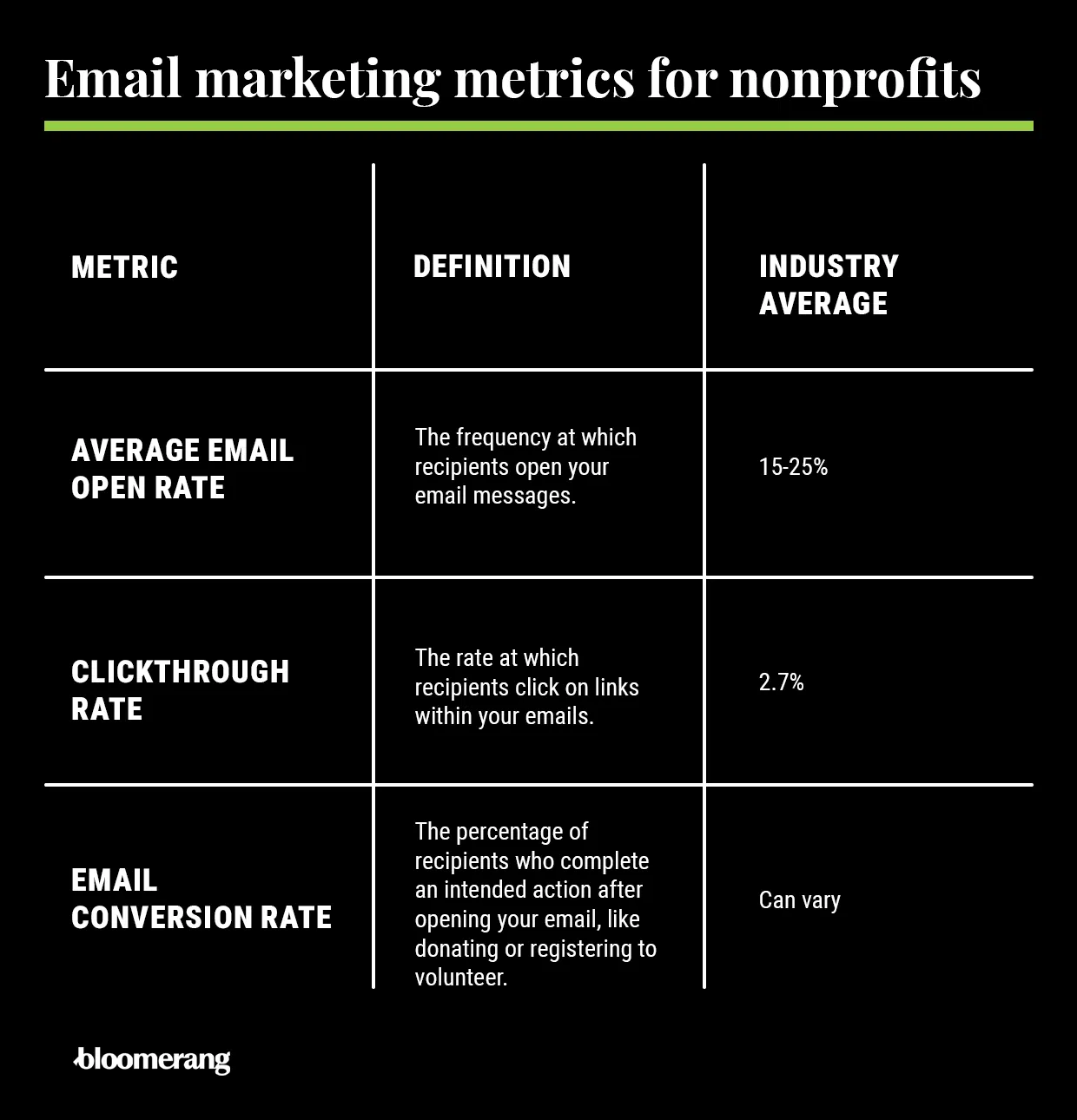
Your email metrics are as good as gold for determining the best ways to optimize your email strategy. See the full benchmarks glossary below, and prioritize tracking these key data points:
Optimize your subject lines
Your subject line is the single most important factor in whether your email gets opened. Research shows that 60%+ of email opens now happen on mobile devices, which display only 30–35 characters before cutting off. Here are the rules:
- Mobile sweet spot: 30–35 characters or 6–7 words
- Desktop sweet spot: 40–50 characters
- Safest range for both: 35–45 characters
- Avoid: ALL CAPS, excessive punctuation, and spam-trigger words (“Free,” “Act now,” “Guaranteed”)
- Use: Personalization ([First Name]), numbers (“47 families”), and questions (“Will you help us reach $10,000?”)
Write concise email bodies
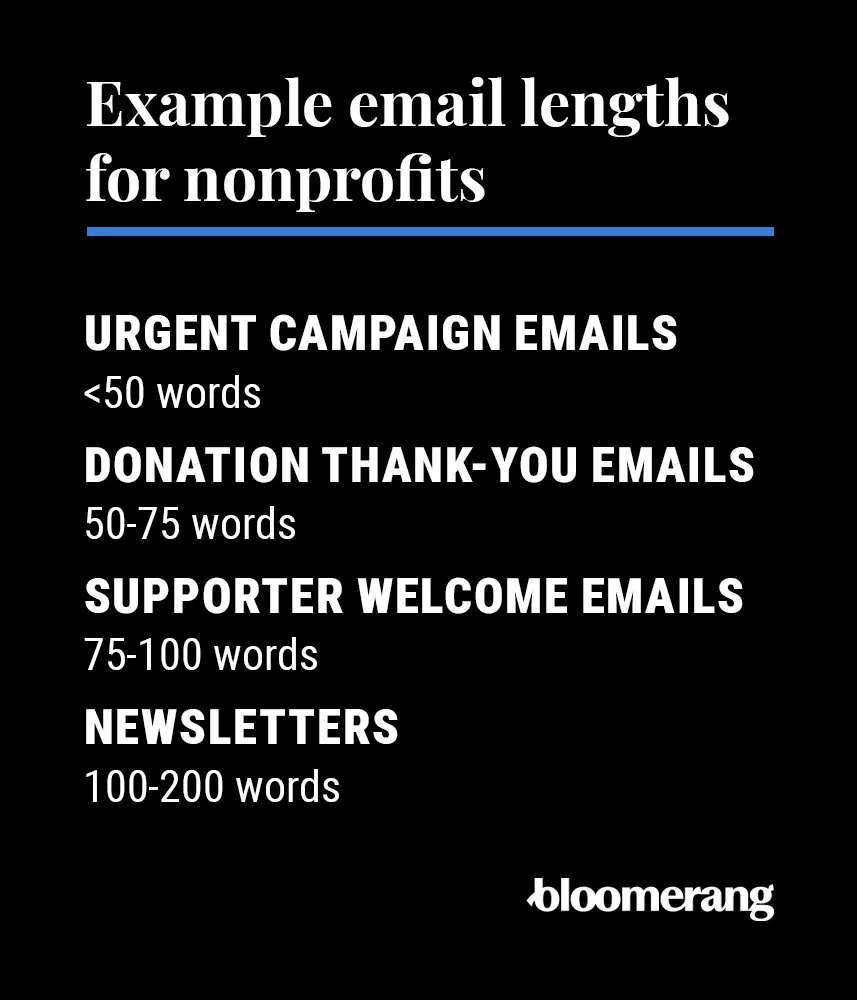
The body of your email should be as long as it needs to be—and no longer. Here are the recommended lengths for each type of nonprofit email:
- Urgent campaign appeals: <50 words
- Donation thank-you emails: 50–75 words
- Supporter welcome emails: 75–100 words
- Newsletters: 100–200 words
Use a single, clear call to action per email
Every email should have one primary CTA. Multiple competing CTAs dilute attention and reduce conversions. Place your primary CTA button above the fold (visible without scrolling on mobile), repeat it as a text link near the bottom of the email, and use high-contrast colors so it’s readable for supporters with vision impairments. For example, your CTAs could have white text on a red background like the Help for Heroes example below—strong color contrast ensures your CTAs are readable for recipients with vision impairments.

Ensure compliance with email marketing regulations
The CAN-SPAM Act sets regulations for commercial email marketing practices that apply to for-profit and nonprofit organizations. See the full deliverability and compliance checklist below for a complete breakdown of requirements across CAN-SPAM, CASL, and GDPR.
Emotional, specific language drives opens and action. The most effective emotional triggers for nonprofit email are urgency, impact (with real numbers), community belonging, and fear of missing out. Avoid vague language like “help us make a difference”—replace it with the specific outcome: “help us serve 200 more meals this month.”
Maintain consistent branding across every send
Your emails should be instantly recognizable: consistent logo placement, brand colors, fonts, and tone of voice. Create templates for each email type and document them in a style guide every team member can access. Consistency builds trust—and trust drives opens.
Use multimedia intentionally
Emails with images have up to a 42% higher click-through rate than text-only emails (Vero). Use one to three primary visual elements per email—header image, a single supporting photo, or an infographic—and keep images compressed to under 200KB to protect load times on mobile.
Nonprofit email metrics glossary: plain-English formulas and 2026 benchmarks
Use this glossary to understand what each metric means, how to calculate it, and what counts as a healthy range for nonprofits in 2026. Benchmarks are drawn from the M+R Benchmarks 2025 study, Mailchimp, and MailerLite nonprofit data. Treat open rate with particular caution—Apple Mail Privacy Protection (MPP), launched in 2021, automatically marks emails as “opened” for all Apple Mail users, artificially inflating open rate dashboards by 15–25 percentage points.
Which email marketing platforms work best for nonprofits?
Platform deep dives
1. Bloomerang Giving Platform®

Bloomerang is a purpose-built nonprofit platform that unifies donor management, fundraising, volunteer management, and email marketing in a single system. Because Bloomerang’s email tools share the same database as its CRM, you can segment by giving history, engagement score, volunteer activity, and more—without any data sync or integration layer. Features include a built-in drag-and-drop editor, brandable templates, deliverability insights, A/B testing, scheduled sends, and readability testing. Best for: organizations that want to eliminate the gap between donor data and email marketing. Learn more about Bloomerang’s marketing and engagement features.
2. Mailchimp
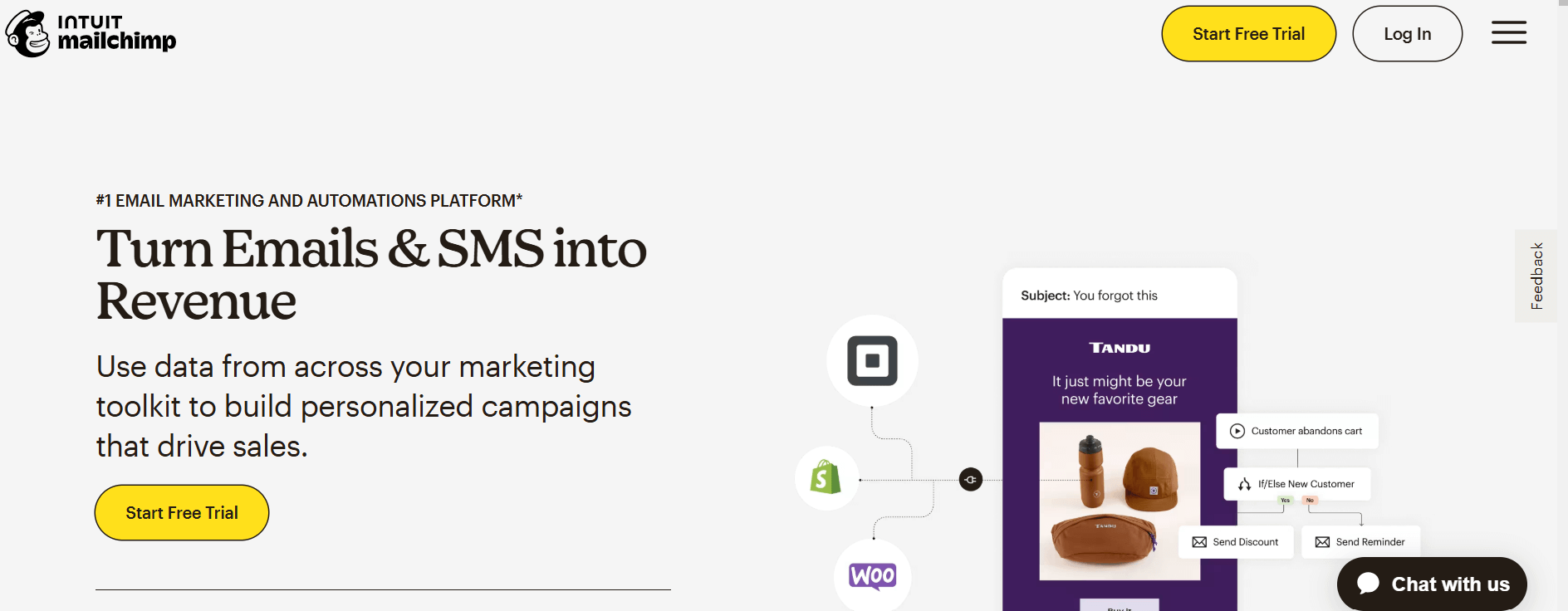
Mailchimp is the most widely used email marketing platform in the nonprofit sector. Its free tier supports up to 500 contacts with basic automation, templates, and reporting—making it a strong starting point for early-stage organizations. Paid plans unlock advanced segmentation, behavioral automation, and multi-step journeys.
3. Constant Contact
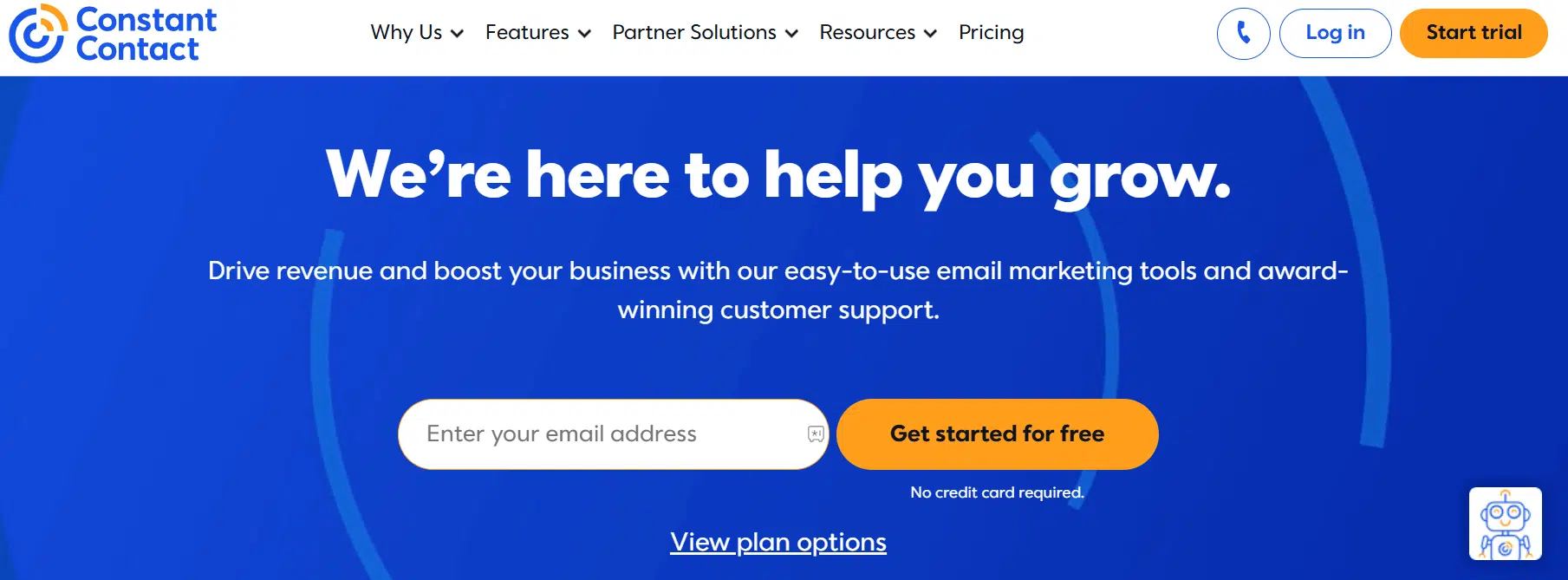
Constant Contact is especially strong for nonprofits that host events—its event promotion, registration, and attendee tracking tools integrate directly with email outreach. Its drag-and-drop editor is one of the most beginner-friendly on the market. Nonprofits qualify for a 20–30% discount (contact Constant Contact directly). Bloomerang and Constant Contact integrate natively, allowing donor engagement data to inform email segmentation.
4. Campaign Monitor

Campaign Monitor offers strong brand control with a sophisticated drag-and-drop editor, template management with team access controls, and detailed geographic and device performance reporting. It’s a solid choice for nonprofits with multiple staff managing email and strict brand standards. No standard nonprofit discount—contact sales for custom pricing.
5. ActiveCampaign
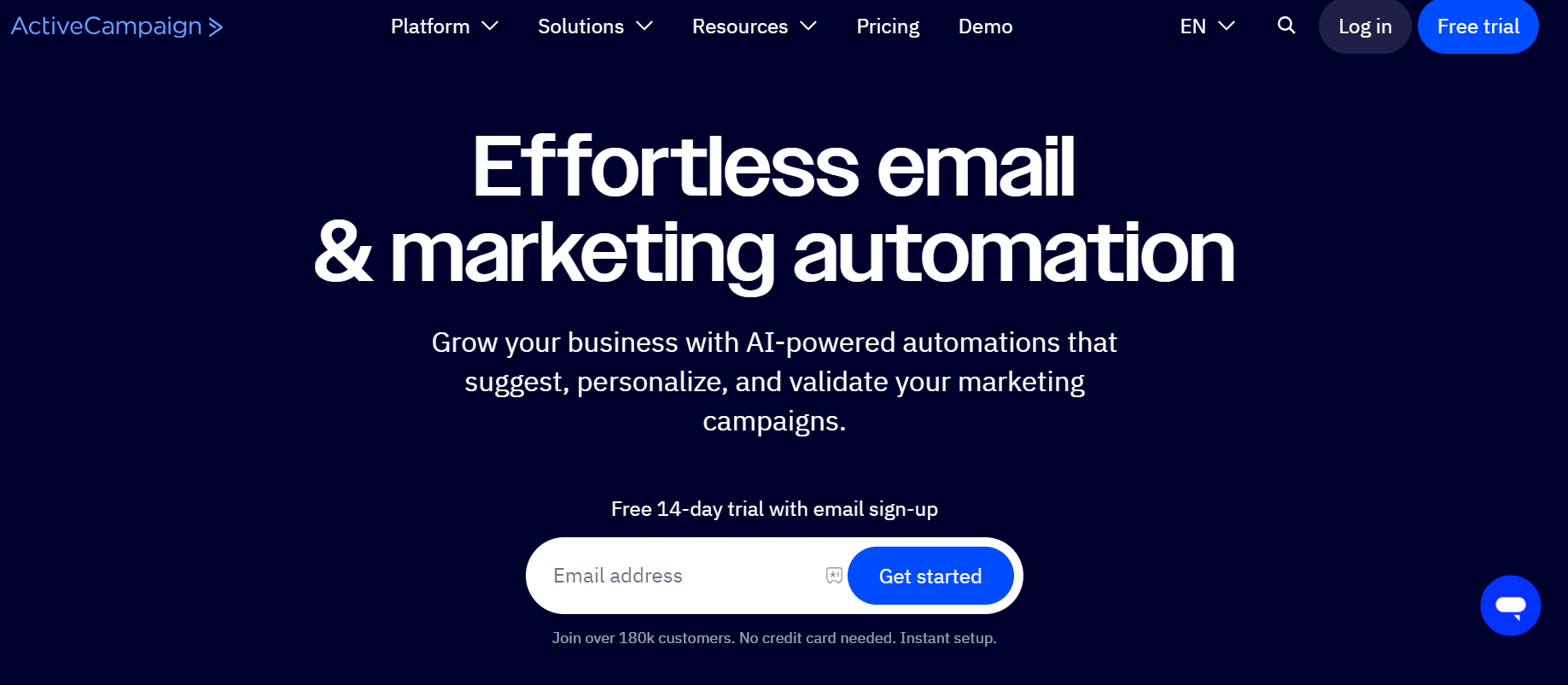
ActiveCampaign is the strongest platform for nonprofits with complex donor journeys that require multi-step behavioral automation. Its conditional logic, lead scoring, and predictive sending capabilities support sophisticated cultivation sequences—for example, automatically moving a lapsed donor into a re-engagement series when they haven’t opened an email in 90 days. Nonprofits qualify for a 25% discount (apply directly). Integration with Bloomerang is available via Zapier.
6. Flodesk
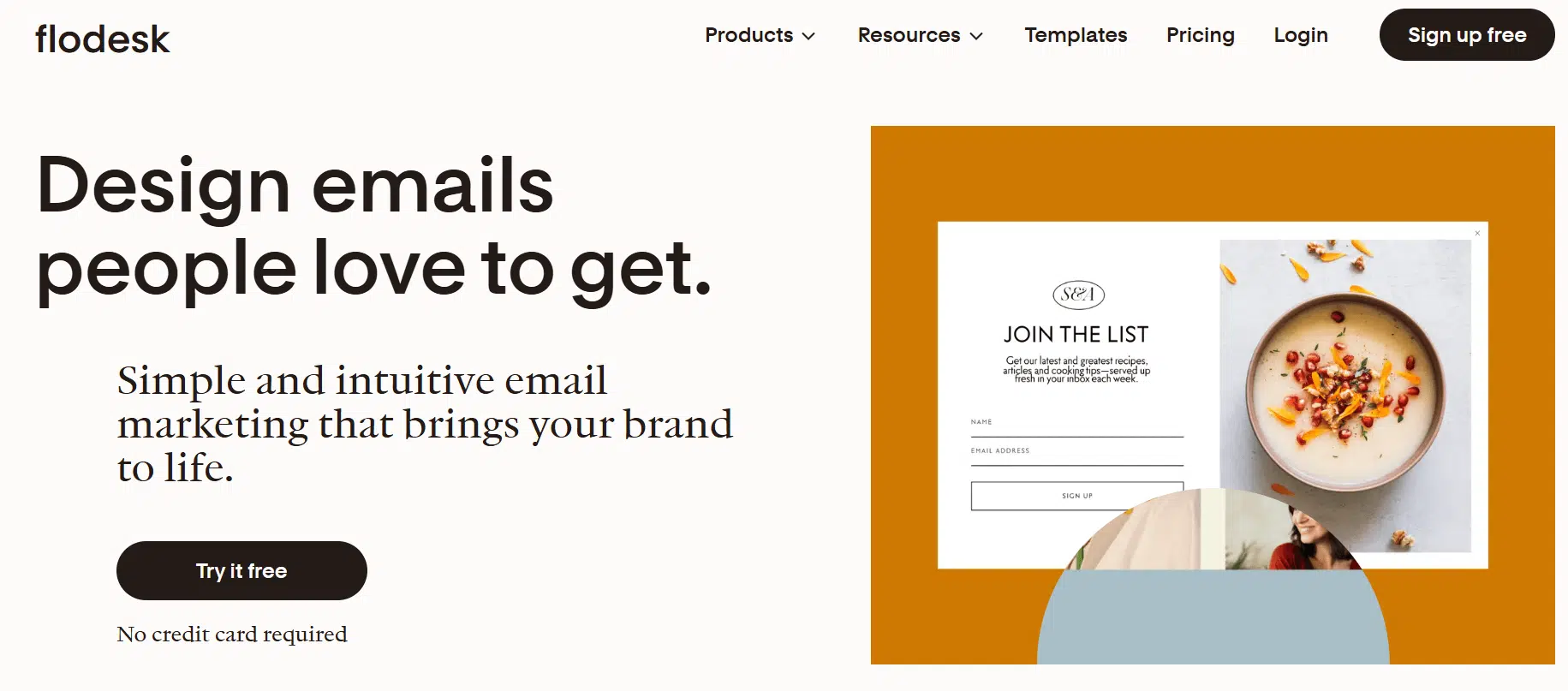
Flodesk stands out for its visual design capabilities—custom fonts, branded graphics, and a clean aesthetic that makes emails feel like editorial content rather than marketing blasts. Its flat $38/month pricing (unlimited subscribers) is attractive for organizations with large lists. Trade-offs: segmentation is basic (list-based only), CRM integration requires Zapier or API, and deliverability reporting is less robust than competitors.
How do I choose email marketing software as a nonprofit?
Decision paths by org type
- Small nonprofit (<1K contacts, team of 1–3): Start with Mailchimp’s free tier. Upgrade when you hit 500 contacts or need automation beyond a welcome series.
- Mid-sized nonprofit (1K–10K contacts, dedicated comms staff): Evaluate Bloomerang (if you want CRM + email unified), Constant Contact (if events are central), or ActiveCampaign (if automation is your top need).
- Large or high-volume nonprofit (10K+ contacts): Bloomerang or ActiveCampaign for sophistication—request custom nonprofit pricing from Campaign Monitor. Avoid platforms with per-contact pricing that scales punitively.
- Org already using Bloomerang CRM: Use Bloomerang’s built-in email marketing tools first—the native integration is worth more than any standalone platform’s feature advantage.
Deliverability and compliance checklist for nonprofits
1. Configure your sending domain and sender identity
- Use a branded sending domain (yourname@yourorg.org)—never send campaigns from a Gmail, Yahoo, or Hotmail address. Free email providers are flagged as spam by major inbox providers.
- Use a consistent “From” name and email address in every send. Changing your sender identity mid-program confuses filters and reduces open rates.
- Avoid “no-reply@” addresses. They signal inaccessibility, hurt engagement, and can increase spam complaints. Use a monitored mailbox like hello@yourorg.org or connect@yourorg.org instead.
2. Set up SPF, DKIM, and DMARC (required since 2024)
3. Maintain list hygiene on a regular cadence
- Remove hard bounces immediately after every send—your email platform should do this automatically, but verify.
- Suppress soft bounces after three consecutive failures.
- Run a list-cleaning pass every six months: identify contacts who haven’t opened or clicked in 12 months and run a re-engagement sequence before suppressing them. Monitor domain reputation in Google Postmaster Tools (free) to catch deliverability problems early.
- Never buy, rent, or import email lists without verified consent. Every purchased contact is a potential spam complaint. For strategies on growing your list the right way, see our guide on how to build a nonprofit mailing list.
4. Include all required footer elements
Every email must include the following elements in the footer to comply with CAN-SPAM (US), CASL (Canada), and GDPR (EU):
- Your organization’s legal name
- Physical mailing address (a P.O. Box qualifies)
- A clearly visible, one-click unsubscribe link
- A link to your privacy policy
Copy-ready compliant footer example:
5. Compliance law quick reference for nonprofits
Copy-and-paste email assets for nonprofits
20 subject lines by goal
All subject lines are written for nonprofits. Swap [bracketed placeholders] with your real details. For best performance, A/B test two subject lines per campaign using a 20% sample of your list. Remember: don’t be lazy with your email subject lines—they’re the single most important factor in whether your email gets opened.
Four urgent appeal email bodies (<50 words each)
These are designed to be short, high-impact, and mobile-first. Use them as the full body copy for urgency sends—day-of or final-hours campaign emails.
Appeal 1: Matching gift — final hours
Appeal 2: Year-end / tax deadline
Appeal 3: Emergency / crisis response
Appeal 4: Campaign milestone / almost there
Two donor thank-you email variants (50–75 words)
Four-email welcome series
Trigger Email 1 immediately on signup. Schedule Emails 2–4 automatically. Each email should have a single CTA and be shorter than 100 words of body copy. Primary metric for the series: CTOR on Emails 2–4 (measures content quality, not just inbox placement).
Eight high-performing CTAs with character counts
All CTAs are written in first person (“my,” “me”) where possible—research consistently shows first-person CTAs outperform third-person (“Donate” vs. “Make my gift”) by as much as 90% in some studies. Use ALL CAPS for CTA buttons.
Frequently asked questions: Email marketing for nonprofits
What is the average open rate for nonprofit emails?
The reliable average open rate for nonprofit emails in the US is 25–29%, based on Mailchimp, MailerLite, and Neon One 2025 benchmark data. However, Apple Mail Privacy Protection (MPP) artificially inflates open rates by 15–25 percentage points for organizations with large numbers of Apple Mail users. If your reported open rate is 45–55%, it is likely MPP-inflated. Use click-to-open rate (CTOR), benchmarked at ~10% for nonprofits, as your primary content-quality metric instead.
How often should a nonprofit send emails?
Most nonprofits should send newsletters monthly, fundraising appeals one to two times per month at baseline, and ramp to three to five sends per week during the final 48 hours of a campaign. A four-email welcome series over 14 days is the nonprofit standard for new subscribers. Never go more than three weeks without any email send—your audience will forget you exist.
Do nonprofits need to comply with CAN-SPAM?
Yes. The CAN-SPAM Act applies to all commercial email senders in the United States, including nonprofits that send fundraising appeals. Required elements include: a physical mailing address in every email footer, a clear and functional one-click unsubscribe link honored within 10 business days, and no deceptive subject lines or sender names. Violations can result in penalties of up to $53,088 per email under FTC enforcement guidelines updated in January 2025.
What is the best email marketing platform for a small nonprofit?
For small nonprofits with under 500 contacts and a limited budget, Mailchimp's free tier is the best starting point—it includes basic automation, templates, and reporting at no cost. When your list exceeds 500 contacts or you need more sophisticated automation, upgrade to Mailchimp's paid tier (nonprofits receive a 15% discount via TechSoup) or evaluate Bloomerang if you want donor management and email in one unified system.
What is a good click-through rate for nonprofit emails?
A click-through rate (CTR) of 3.0–3.3% is the 2026 benchmark for US nonprofits, based on Neon One and MailerLite data. If your CTR is below 1.5%, audit your CTA placement, button color contrast, and email body copy. If your CTR exceeds 5%, document exactly what you did and replicate those elements in future campaigns.
How do I grow my nonprofit email list without buying contacts?
Organic list-building strategies that consistently work for nonprofits include: adding a double opt-in signup form to your website homepage and donation confirmation page, collecting email addresses at events with explicit consent, offering a content download (impact report, volunteer guide) in exchange for email signup, and asking current email subscribers to forward your newsletter to one friend. Never purchase, rent, or import email lists—every unverified contact is a potential spam complaint that damages your sender reputation.
What is CTOR and why does it matter more than open rate for nonprofits?
CTOR stands for click-to-open rate—it measures the percentage of people who clicked a link out of those who actually opened your email. The formula is: (unique clicks ÷ unique opens) × 100. CTOR matters more than open rate for nonprofits because it is unaffected by Apple Mail Privacy Protection, which falsely marks emails as "opened" for all Apple Mail users and inflates open rate data. A CTOR of ~10% is the 2026 nonprofit benchmark. A CTOR below 5% means your subject line is outperforming your email body—the content inside is not delivering on the promise that got the email opened.
How do I reduce my nonprofit email unsubscribe rate?
An unsubscribe rate above 0.5% signals a list-hygiene or content problem. To reduce it: audit your send frequency (too many emails is the most common cause), ensure your segmentation is accurate so supporters receive only relevant content, review whether list consent was properly obtained for all contacts, and run a re-engagement series before suppressing inactive subscribers rather than continuing to send to them. Suppressing contacts who have not engaged in 12 months improves your metrics for the rest of your list.
Wrapping up
A strong nonprofit email program isn’t built in a day—but it compounds faster than almost any other channel in your communications mix. Every consistent send, every personalized thank-you, and every well-timed appeal reinforces the relationships that keep donors coming back year after year.
Start with the four foundations: segment your list, establish a cadence, optimize your subject lines, and use a single CTA per email. Layer in the compliance checklist, then use the copy assets above to accelerate your first campaigns. Track CTOR as your north-star content metric and let your data guide every iteration.
For more resources on nonprofit communications and donor engagement, explore these related guides:
- Donor retention strategy: A guide to donor retention
- Donor segmentation: How to segment your donor communications
- Troubleshoot your fundraising emails: How to troubleshoot your fundraising email